Create an image with Nano Banana 2
Begin with Nano Banana 2 image creation and supported edits and a concrete visual goal. Describe the composition you need, any permitted reference, and the changes you want to compare.

Use Try Nano Banana’s Nano Banana 2 AI image generator to explore Nano Banana 2 image concepts. Start with one image idea and inspect the composition, lettering, and small details. Change one instruction at a time to develop the next version. Review the available model, supported settings, and current credit quote before submitting a task.
Begin with Nano Banana 2 image creation and supported edits and a concrete visual goal. Describe the composition you need, any permitted reference, and the changes you want to compare.
For a reference-led idea, upload material you have permission to use and check the selected model’s requirements. Say what should stay recognizable and what should change.
Plan the frame around the intended use: a cover, a product concept, or a social post. Place the focal subject deliberately and reserve room for final text. Review subject details, text areas, and consistency with an uploaded reference before fitting the result into a larger project.
Browse this site’s published examples and prompt library to understand how a brief relates to an output. Read the actual model label, choose a useful compositional idea, and rewrite the prompt for your subject.
Use the published image gallery to study an actual result alongside its model label and available prompt. Look at subject placement, light, and which details survived the instruction. The six prompt ideas on this page are suggested briefs you can adapt, rather than claims that those exact scenes were generated. Compare a reference with your intended task, and inspect your own result before repeating or refining its direction.
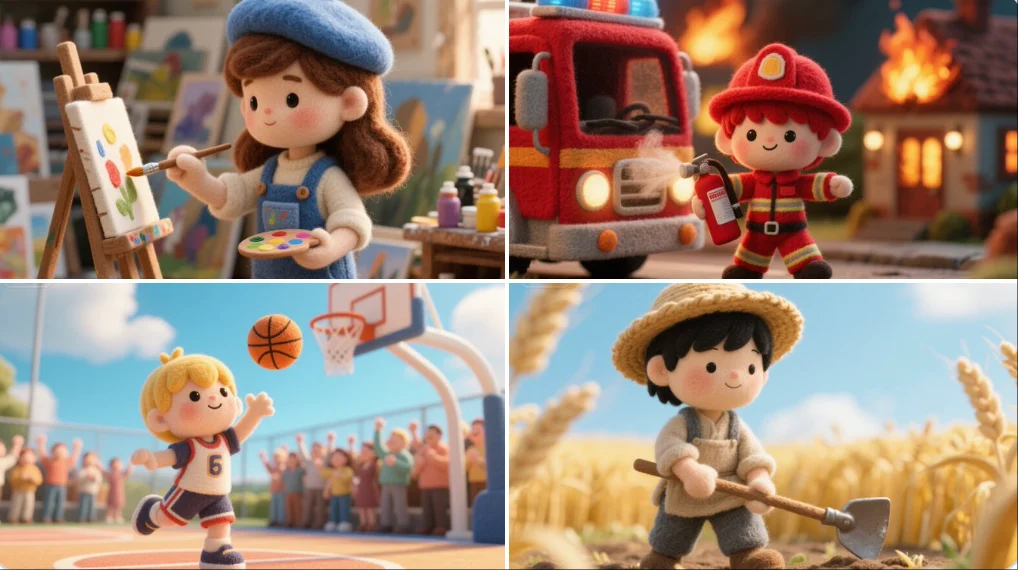
Nano Banana
A felted wool figure of a [subject], handcrafted with soft fibers, uneven stitching, and visible textures. Set within a miniature diorama of layered fabrics and pastel props, the scene radiates cozy, storybook charm like a still from a tactile, stop-motion fairytale made entirely of felt and thread.
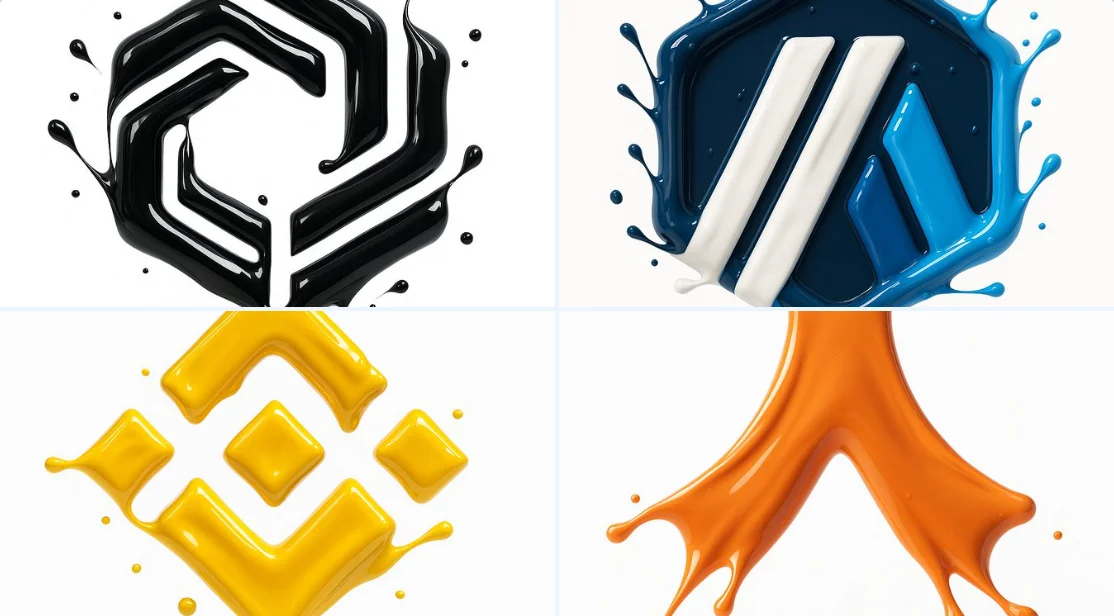
Nano Banana
make a hyper-realistic 3D render of the attached logo, formed by glossy liquid paint splashes. Paint sculpts the outline using the exact palette from the reference. Smooth, fluid high-gloss splashes catch highlights; logo floats on pure white.
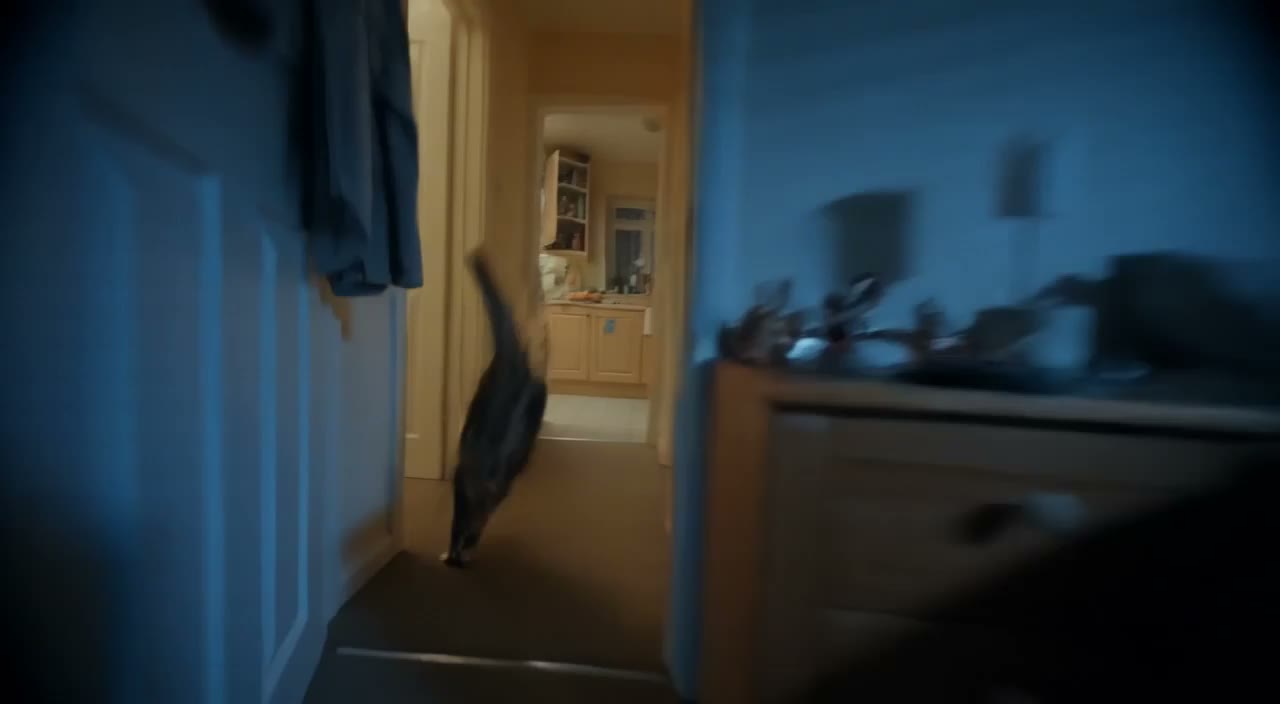
FLUX 3
Prompt idea: An unbranded jar stands on a light platform with a single botanical element and a soft shadow, leaving room for a label added later. Check the jar shape and blank label area before using the composition.
Prompt idea: A person sits in a neutral studio with warm side light, a simple outfit, and an uncluttered background. Keep the camera at eye level. Review facial detail and hands; refine a specific issue rather than rewriting everything.
Prompt idea: Preserve the main object in a permitted source image while changing the background to a pale interior with matching light and perspective. Compare object edges, color, and proportions against the original.
Prompt idea: An original small sailboat crosses a calm lake at sunset in a clean illustrated style, with empty sky reserved for your heading. Inspect the layout and add final text separately if the generated lettering needs correction.
Prompt idea: A compact study has a wooden desk, a green chair, and a single lamp, viewed from the doorway in soft daylight. Check furniture geometry, shadows, and the usable space around the desk.
Prompt idea: Create two versions of the same ceramic cup composition, changing only the background color from cream to muted blue. Save the settings and compare the intended change while checking the cup’s important details.
Start with Nano Banana 2 image creation and supported edits. Name the subject, setting, and purpose, then describe the composition you need, any permitted reference, and the changes you want to compare. Decide which feature makes the result useful for your project.
Select an available image model and read the controls offered for the task. Use a reference only when that input is supported. Choose framing for the place where the result will appear, and leave room for any crop or text you will add later.
Check the current credit quote after choosing the model and output settings. Save your brief and selected controls so you can compare later attempts. Submit the task when the inputs match your plan, then wait for its status rather than repeatedly submitting the same request.
Open the completed result in History or Assets and inspect subject details, text areas, and consistency with an uploaded reference. Review small details at the available image size. Change one instruction for your next attempt, keeping a useful version for comparison.
Use the actual model label and controls shown in the generator. The focus here is Nano Banana 2 image creation and supported edits; input support, output options, and credit costs still depend on your selection.
Start with included credits, compare plans, and add more credits whenever you need them.
Approximate, fixed reference rates (2026-10-26); not live. Final amount and currency are determined at checkout.
Loading prices…
Secure checkout is available. For inquiries or assistance, contact us at support@try-nanobanana.com.
Yes. No sign-up is required. Generation uses credits; review the quote and your balance before submitting. Guest credits and history are linked to this browser, so keep cookies enabled. You can buy eligible one-time credit packs when checkout is available. Subscriptions require sign-in.
Use Try Nano Banana to explore Nano Banana 2 image concepts. Select a model that supports your intended task and check its current input options before generating. Start with Nano Banana 2 image creation and supported edits.
Begin with a specific subject, setting, and visual direction. Prompt idea: An unbranded jar stands on a light platform with a single botanical element and a soft shadow, leaving room for a label added later. Check the jar shape and blank label area before using the composition. Adjust the composition to the size and purpose of your final design. Treat this as a starting brief: adapt the details for your own project, then change one instruction after inspecting the result.
Choose a model with editing support, upload a supported reference, and describe the change. Inspect details you intended to preserve before using the result.
The generator displays a quote for the selected model and settings. Review that quote before submitting; changing the selection can change the cost.
Each example’s actual model label identifies the model used. Examples can use different models from the one you select for a new task.
Use the models currently listed for the task, or contact support about availability. A page heading or a published example does not guarantee that a model can be selected now.
Subscriptions renew according to the billing interval shown at checkout. A one-time credit pack is a single purchase, not a subscription. To cancel a subscription, open Settings > Billing, choose your subscription and confirm cancellation. Check the updated status and end date. If cancellation fails, contact support@try-nanobanana.com before your next renewal.
Cancellation stops future subscription renewals once confirmed. Check Settings > Billing for your paid access end date. Existing credits keep their original expiration dates; cancellation does not extend them or automatically issue a cash refund.
You can request a refund within 10 days of purchase if you have unused credits from that purchase and provide a clear reason, subject to our Refund Policy. If eligible, an unused purchase can be fully refunded; a partly used purchase is refunded in proportion to its remaining unused credits. Fully used purchases and free or promotional credits are not refundable.
Email support@try-nanobanana.com with the subject Refund Request. Include your account email, order or transaction ID, purchase date and reason. Our Refund Policy provides for a response within 5 business days. Approved refunds return to the original payment method and may take 5–10 business days to appear, depending on the payment provider. The corresponding credits are removed. See /refund-policy for the full conditions.
Credit validity depends on the pack, subscription or promotion that issued them. Review the purchase terms and expiration dates in Settings > Credits. A renewal or new purchase does not extend older credits. Use credits before their stated expiration; do not assume unused subscription credits roll over indefinitely.
Credits charged for a task that is confirmed as failed due to a system error are returned automatically. A task that is still processing has not yet been confirmed as failed. Check its status and your credit history before submitting again. If a confirmed failure still shows an unresolved charge, email support@try-nanobanana.com with the task ID.
AI results can vary, so a completed result that differs from your expectations is not automatically treated as a technical failure. Eligible completed image tasks can be submitted for credit refund review using the refund option where available; approval is required. For a video or another issue, contact support@try-nanobanana.com with the task ID and details. A credit refund returns credits, not money to your payment method.
Check that you are using the same account or guest browser used for checkout, then review your order status and credit history. Avoid paying again while the first payment is being checked. Email support@try-nanobanana.com with your order ID, purchase time and payment receipt so we can investigate. Never send your password or full card details.
Email support@try-nanobanana.com. For billing, include your account email and order ID; for generation, include the task ID, issue description and relevant screenshots. If you purchased as a guest, keep the original browser data and payment receipt so we can help locate the purchase.
Start with one of the suggested briefs for Nano Banana 2 image creation and supported edits, adapt it to your subject, and choose a supported task. Review the quote before generating, then inspect the result against your original plan.
try-nanobanana.com · Updated